Product Detail

Adaptive Multi-KPI Radial Performance Matrix

Tool Is Certified by Microsoft:

Problem Statement

When monitoring balanced scorecard performance across multiple business units, executives and analysts struggle to evaluate multi-dimensional metrics simultaneously. Common issues include:

  1. Disjointed Metric Comparison: Standard bar or line charts scatter correlated KPIs across disparate visuals, making it impossible to evaluate holistic entity performance at a single glance.

  2. Mixed Scale Distortions: KPIs with vastly different units (percentages, currency, headcounts, latency) cannot be charted on a single absolute scale without flattening smaller metrics.

  3. Static Snapshots: Traditional radar charts lack native chronological playback, preventing teams from observing how performance shapes morph and evolve over fiscal periods.

  4. Lack of Target Context: Visuals rarely integrate visual spoke-level progress variance against benchmark baselines without overwhelming clutter.

The Adaptive Multi-KPI Radial Performance Matrix resolves these limitations through cutting-edge polar analytics:

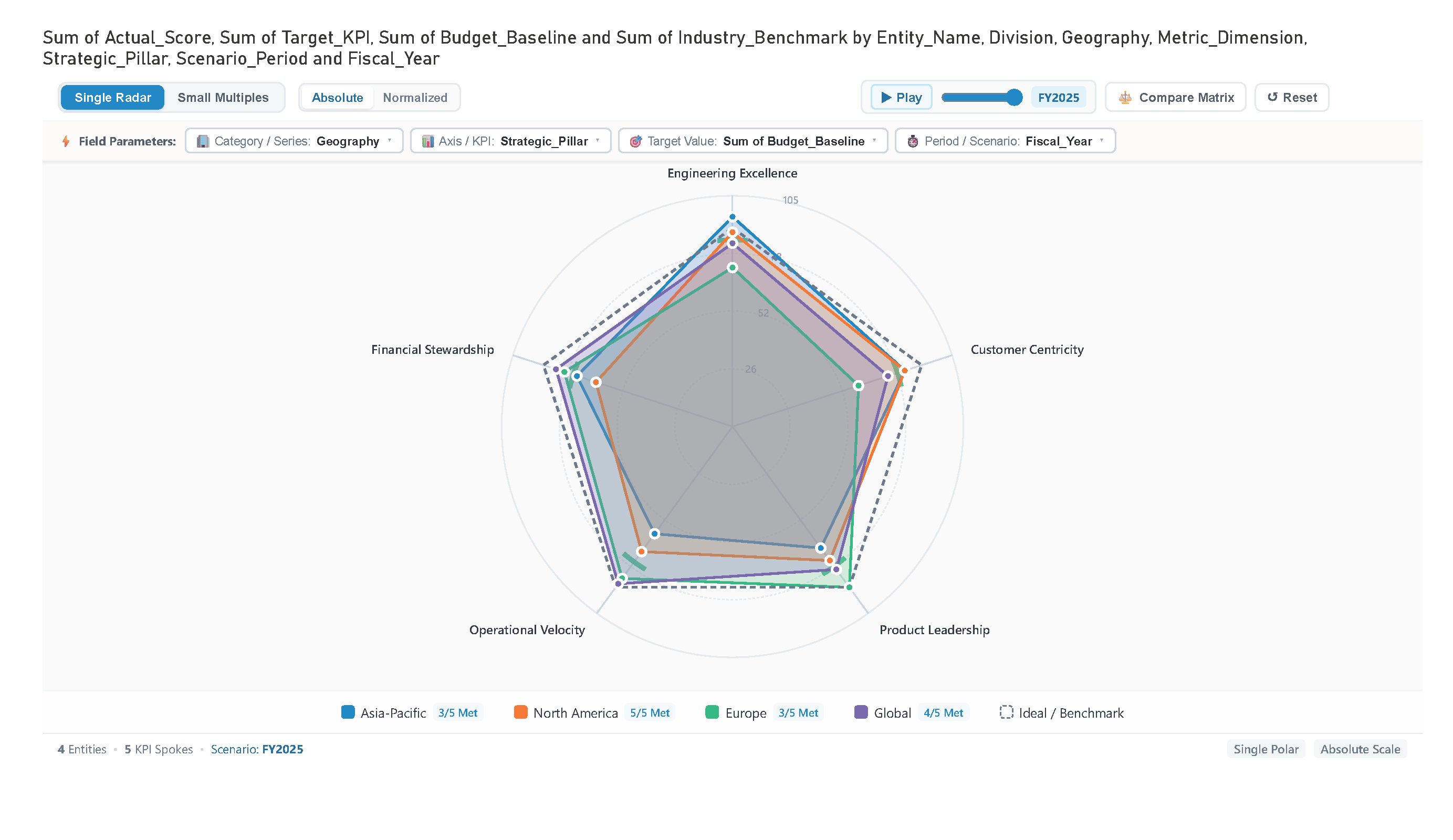
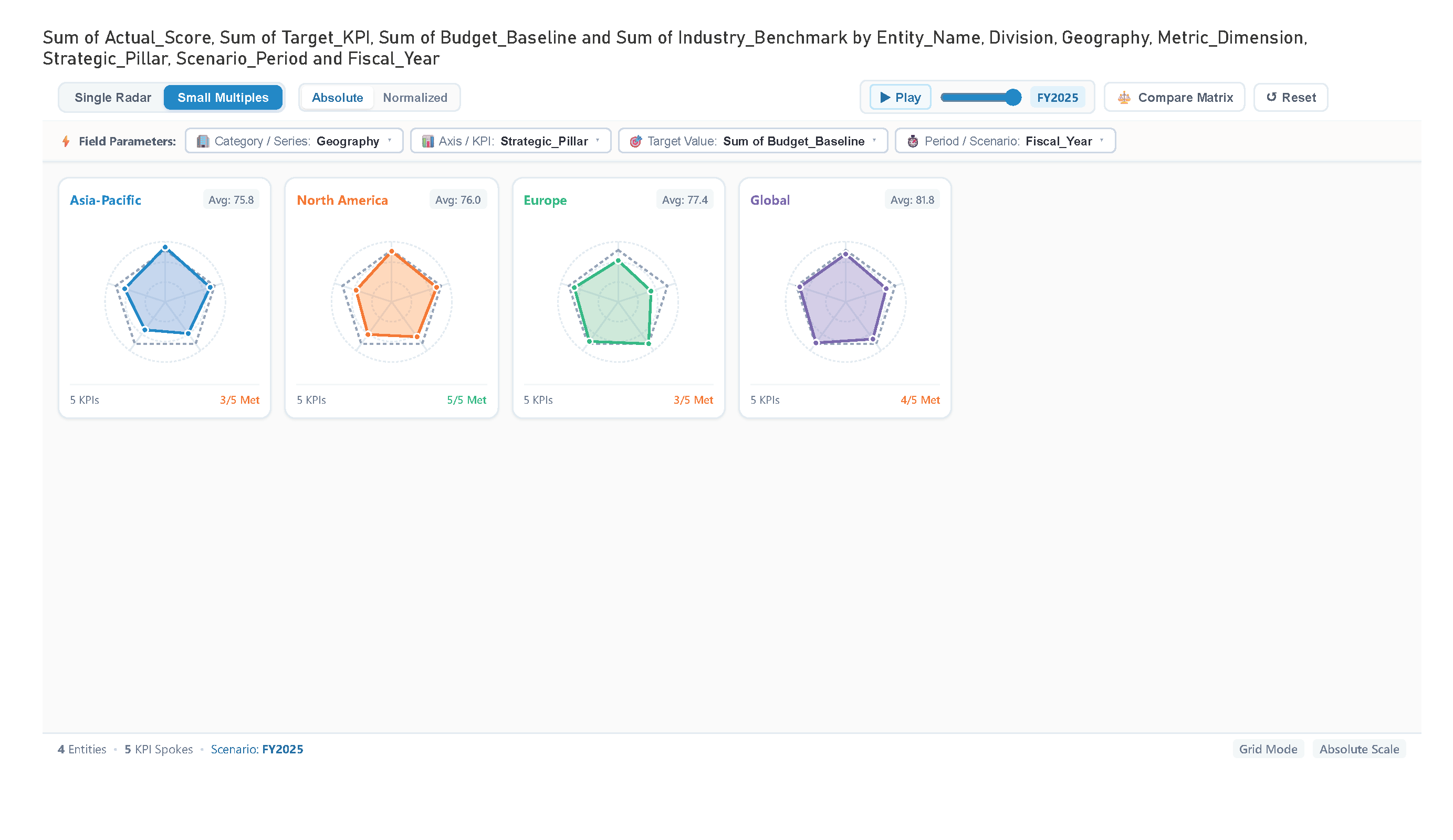
  • Dual Display Modes: Seamlessly toggle between an overlaid Single Radar view and a Small Multiples grid for individual entity focus.
  • Dynamic Field Switching: Drop multiple dimensions or measures into wells and swap active attributes directly via toolbar dropdowns.
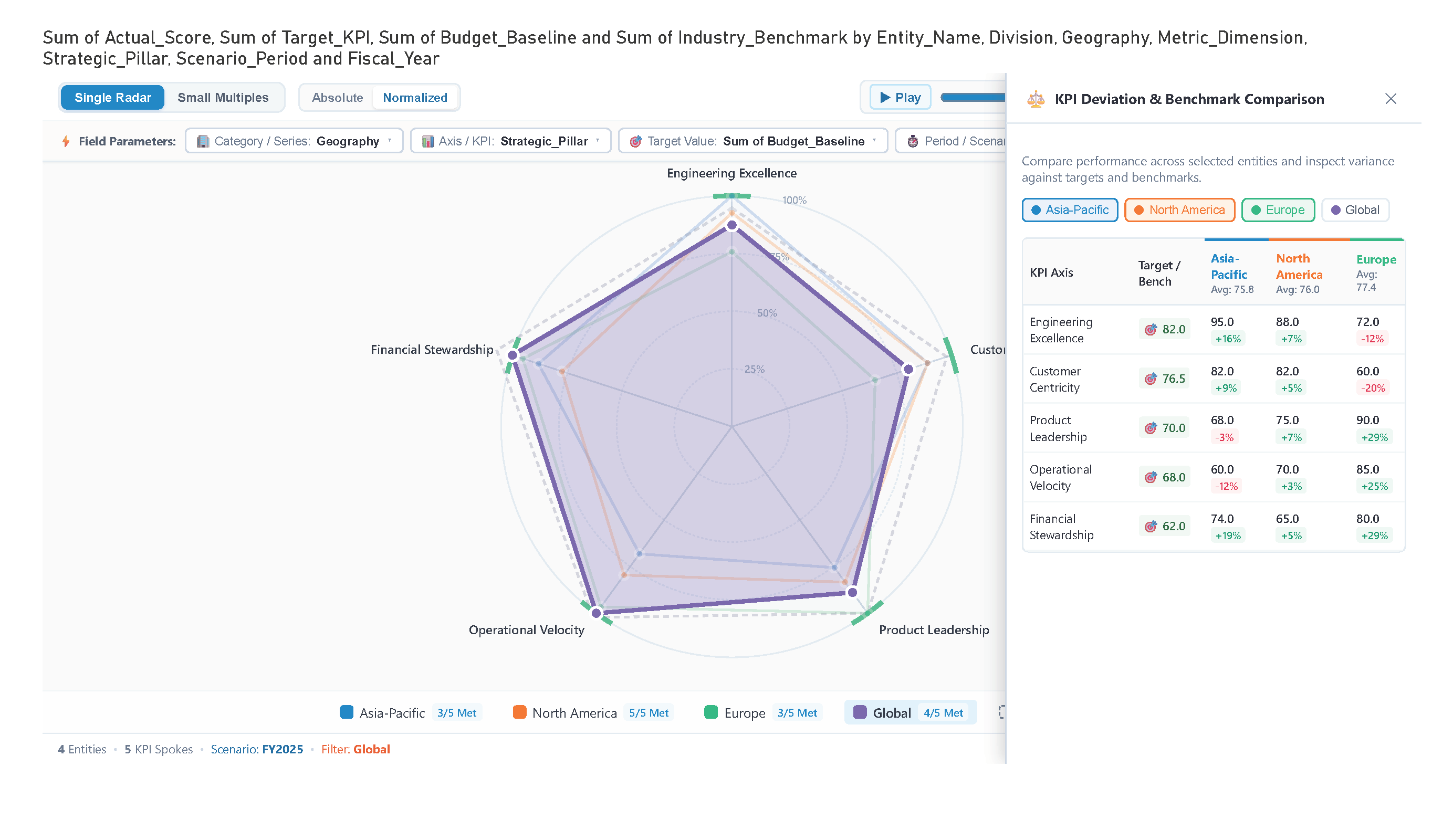
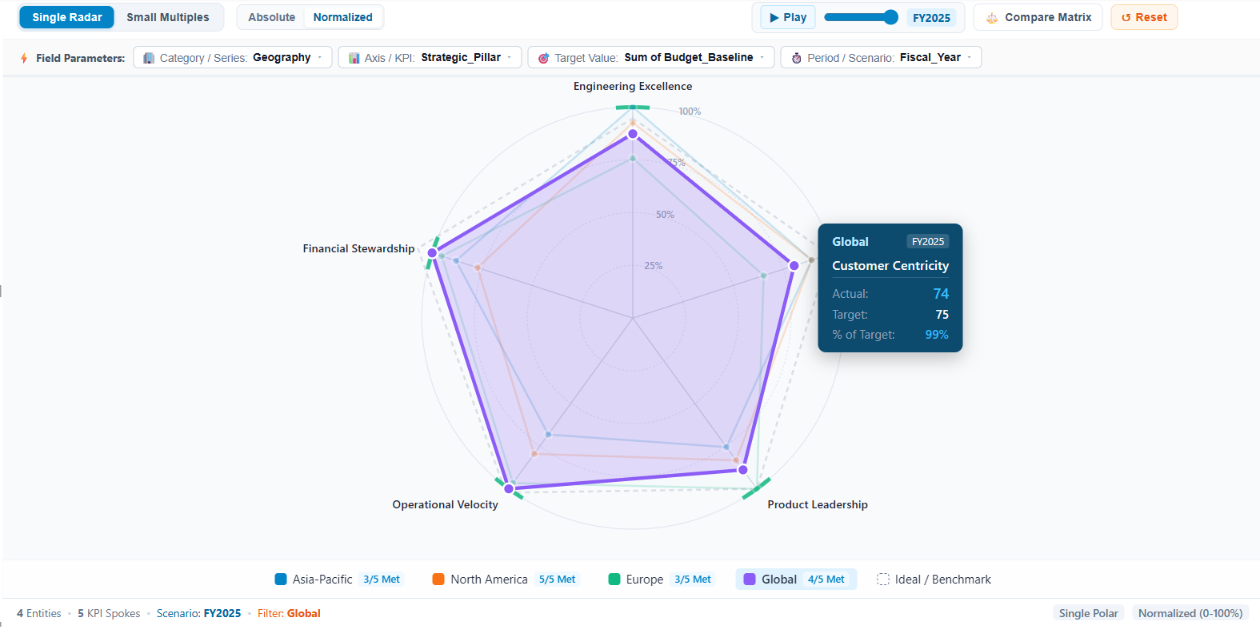
  • Normalized & Absolute Scaling: Instant toggle between 0–100% normalized indexing and raw absolute value ranges.
  • Timeline Scenario Playback: Animate chronological performance changes step-by-step with play/pause controls and a drag scrubber.
  • Target Progress Arcs & Benchmark Layer: On-spoke color-coded attainment arcs and dashed reference polygon boundaries.

These capabilities empower organizations to conduct comprehensive multi-KPI evaluations and scenario tracking within a single interactive visual.

Conclusion

In conclusion, the Adaptive Multi-KPI Radial Performance Matrix provides an unprecedented level of executive clarity for multi-dimensional KPI monitoring. By unifying multi-series radar polygons, small multiples, dynamic field parameters, scenario playback, and benchmark variance analysis into one responsive visual, it empowers decision-makers to spot performance gaps, track period-over-period evolution, and drive operational excellence in Power BI.

Key Features:

  1. Overlaid Multi-Series Radar:

    • Compare multiple product lines, divisions, or regions on a shared multi-axis polar grid with interactive polygon highlights and cross-filtering.
  2. Small Multiples Grid:

    • Instantly split series into a side-by-side grid of individual radar cards with synchronized universal scale and KPI achievement badges.
  3. Dynamic Field Parameter Dropdowns:

    • Drop multiple columns into Category, KPI, Target, or Period wells to switch visual dimensions live from toolbar dropdowns.
  4. Scenario & Period Playback Animation:

    • Play through quarterly or historical periods with automated smooth morphing and manual timeline scrubbing.
  5. Normalized Scale Mode:

    • Index metrics with diverse ranges onto a unified 0–100% radial scale for balanced cross-KPI profile comparison.
  6. Spoke Target Progress Arcs:

    • Concentric green/orange arcs along each axis displaying instant target variance and attainment status.
  7. Executive Compare Matrix Drawer:

    • Pop out a detailed side-by-side benchmark table comparing actuals, targets, benchmarks, and attainment percentages.

Other products

Office Solution Capacity Monitoring tool enables organizations to track Centrally:-

MultiKPIGrid

A profit and loss statement summariz

Stacker Bar Chart With Top N

Select Top N number of items to be displayed in chart and rest items w

Magic Grid PBI Enterprise Solution

Power BI Magic grid which allows Write back into the database, ML Capa

Spiral Plot Chart

The Spiral Plot by Office Solution offers a unique way to visualize da

Multi-Book Risk Surface

Line With Bubble Chart


Adaptive Multi-KPI Radial Performance Matrix

Lorenz Curve Chart

Lorenz Curve by Office Solution

T