Product Detail

Multi-Entity Timeline Network

Tool Is Certified by Microsoft:

Problem Statement

In complex operational workflows—such as multi-stage supply chain logistics, IT incident response, customer journeys, and healthcare patient pathways—organizations face challenges tracking and correlating events across multiple interacting entities over time. Common issues include:

  1. Fragmented Visualizations: Standard Gantt charts and timeline visuals display when events happen but completely miss cross-entity relationships, handoffs, and dependencies, forcing users to navigate between disconnected reports.

  2. Invisible Cross-Lane Handoffs: Tracking transitions, escalations, or cargo transfers across teams or facilities is difficult without explicit, directed visual connectors bridging parallel entity tracks.

  3. Data Clutter & Density Overload: Large datasets with numerous events across multiple entities result in unreadable visual clutter, lacking dynamic time-range zooming or intelligent event aggregation.

  4. Inability to Isolate Critical Paths: In cascading disruptions or multi-step processes, identifying the highest-impact sequence of events requires tedious, error-prone manual analysis.

The Multi-Entity Timeline Network addresses these challenges by offering advanced features such as:

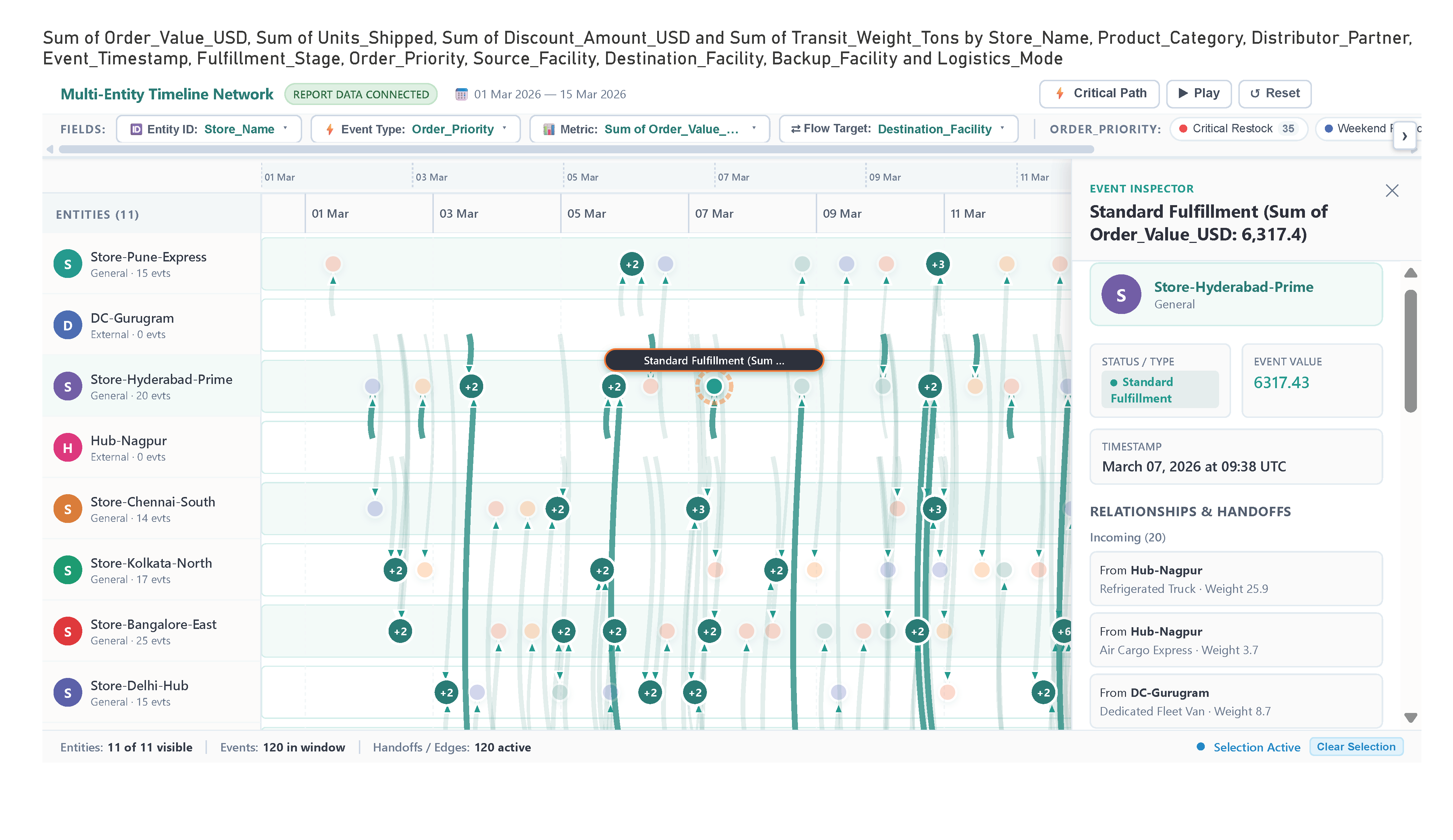
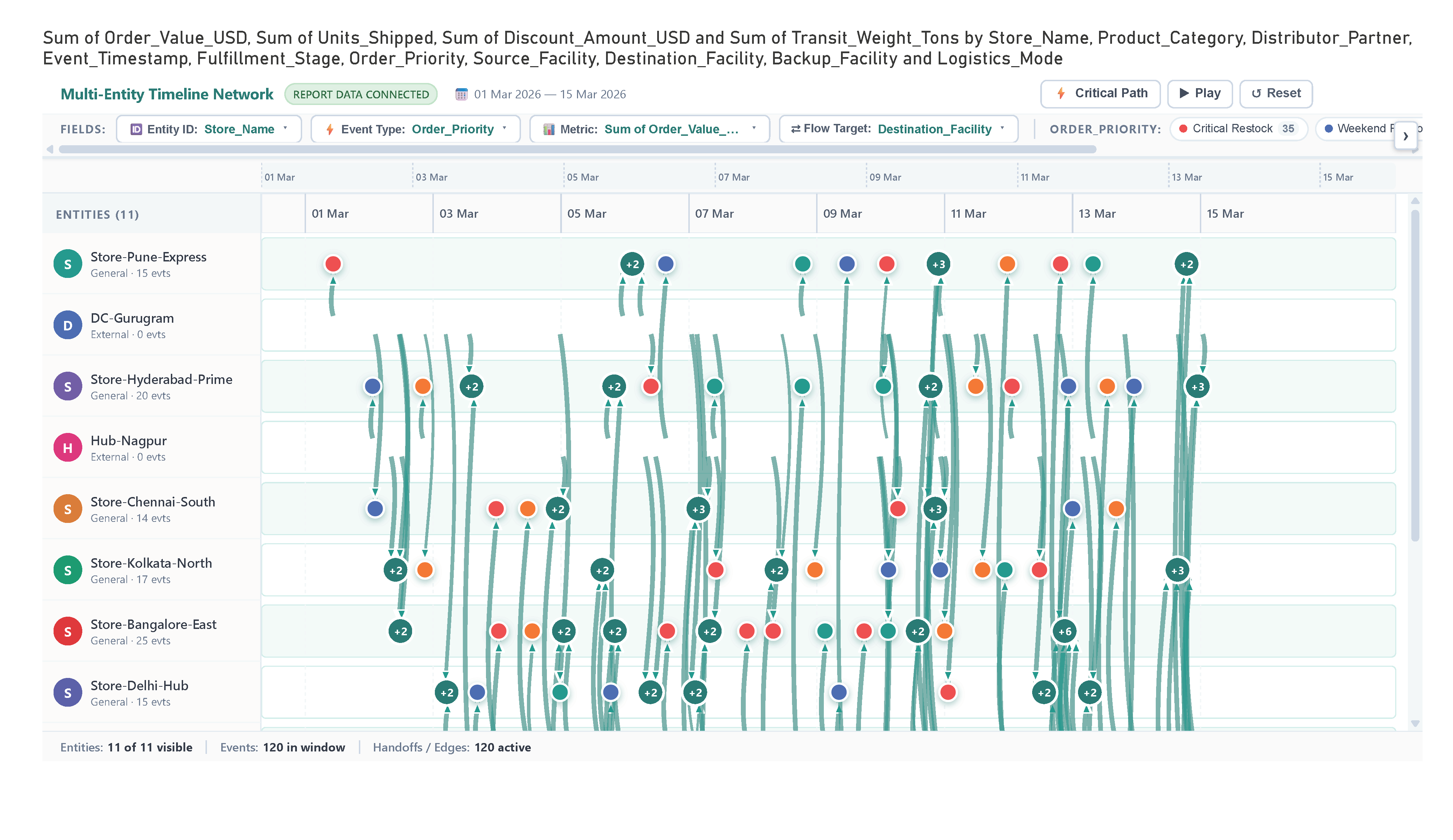
  • Parallel Entity Swimlanes: High-density chronological lanes for each entity with event markers sized by value and colored by stage or severity.
  • Cross-Lane Directed Flow Edges: Curved Bézier connectors mapping handoffs, transfers, and escalations, dynamically weighted by volume or transit weight.
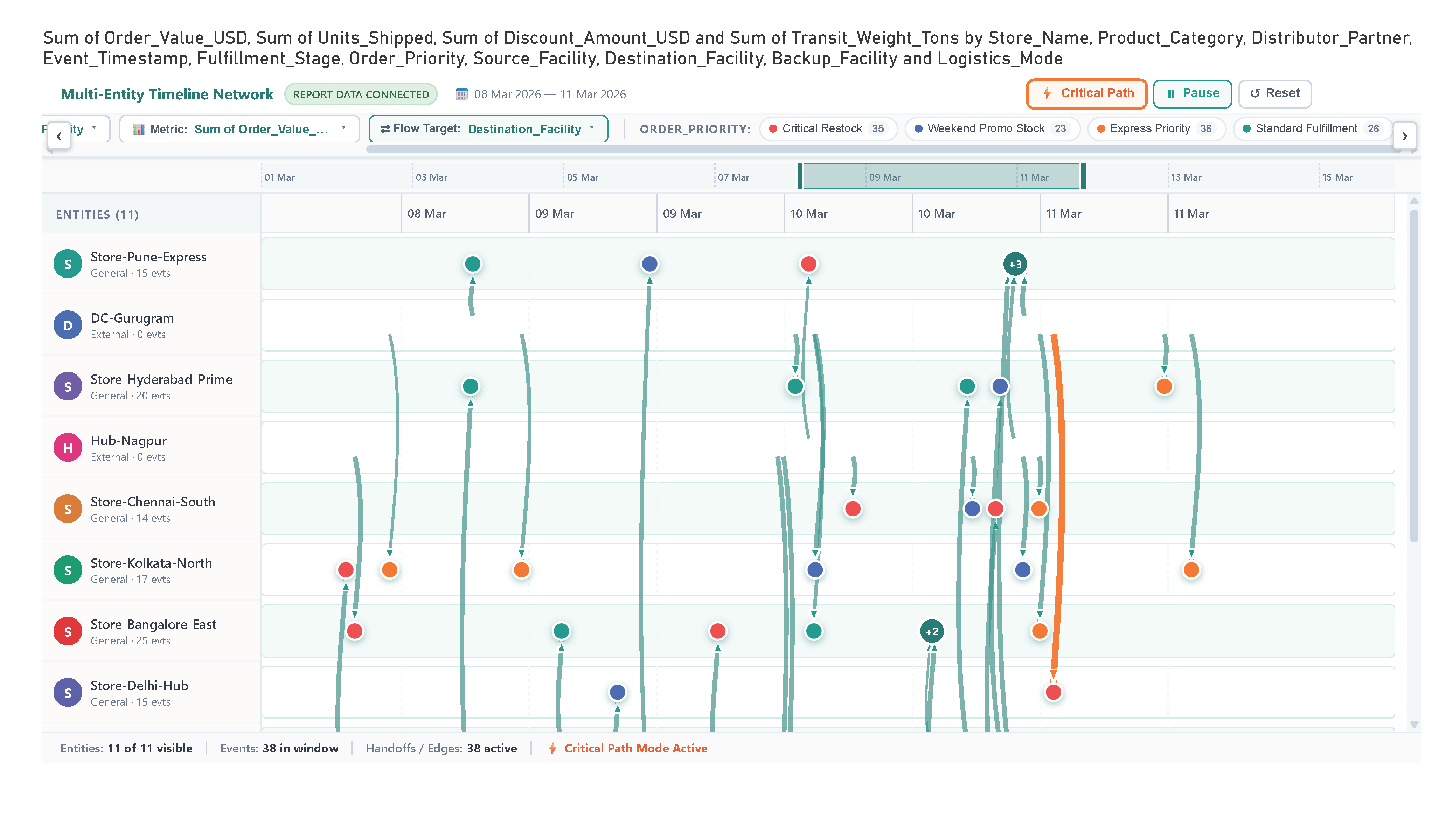
  • Interactive Time-Range Brush & Playback: Dual-handle timeline range slider to zoom into specific operational windows, alongside a chronological animation scrubber.
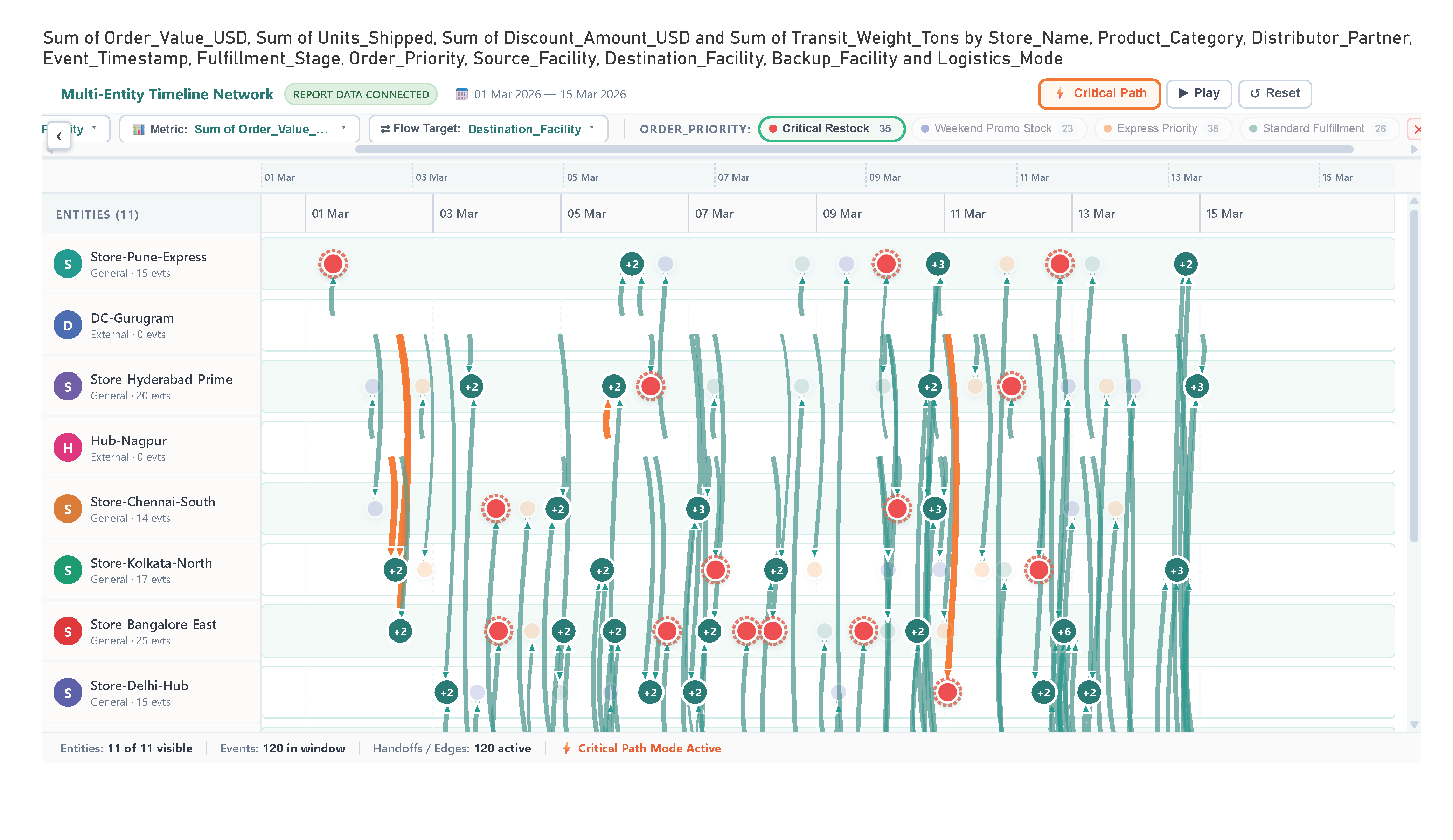
  • Critical Path Highlighting: One-click isolation of the highest-impact event chain across the entire network.
  • Dynamic Field Switching Dropdowns: Place multiple fields into wells to toggle entity dimensions, metrics, or statuses directly from toolbar dropdowns without report editing.
  • Event Clustering & Interactive Details Drawer: Automatically condenses dense event clusters with expandable (+N) badges and opens a slide-out inspector for incoming and outgoing relationships.

These features enhance the user's ability to track end-to-end event flows, diagnose bottlenecks, and understand multi-entity dependencies effectively within Power BI.

Conclusion

In conclusion, the Multi-Entity Timeline Network visual offers a versatile and powerful solution for complex operational and process tracking. By uniting the chronological clarity of a swimlane timeline with the topological depth of a relationship graph, it transforms convoluted cross-entity data into clear, actionable insights. With dynamic features like critical path analysis, time-range brushing, dynamic field switching, and interactive inspection drawers, it empowers users to efficiently pinpoint bottlenecks, streamline handoffs, and enhance their overall analytical experience in Power BI.

Key Features:

  1. Multi-Entity Swimlane Timeline:

    • Organizes entities (stores, departments, microservices, tickets) into parallel horizontal lanes along a shared, high-precision chronological timeline.
  2. Cross-Lane Relationship Flows:

    • Curved Bézier flow connectors illustrate handoffs, dependencies, and transfers between entities, with stroke thickness weighted by volume, transit weight, or impact.
  3. Critical Path Analysis & Highlighting:

    • Instantly isolates and highlights the highest-impact or longest chain of interacting events across all lanes, spotlighting critical bottlenecks.
  4. Interactive Time-Range Brush & Playback Scrubber:

    • Drag and brush time windows to inspect specific intervals, or hit Play to watch events and handoffs unfold chronologically.
  5. Dynamic Field Switching (Toolbar Dropdowns):

    • Drop multiple fields into Entity ID, Event Type, Metric, or Target Wells to enable instant on-canvas dropdown toggles without modifying the report.
  6. Event Clustering & Interactive Event Inspector:

    • Dense event clusters condense into expandable badges (+N), and clicking any node opens a comprehensive drawer showing upstream/downstream handoffs and metrics.

Other products

Office Solution Capacity Monitoring tool enables organizations to track Centrally:-

Barley Trellis chart

The Barley Trellis chart, inspired by Becker et al.'s groundbreaki

Lorenz Curve Chart

Lorenz Curve by Office Solution

T

Magic Grid PBI Report Burst Solution

The Magic Grid PBI Report Burst Solution is a Power B

Circular Dendogram

The Circular Dendrogram Chart offers a unique and vis

Icon Array Chart

Icon Array Chart by office solution transforms traditional data repres
Trade Blotter Flow & Attribution River

Sentiment & Emotion Flow River

Client Coverage Network Timeline