Product Detail

Sentiment & Emotion Flow River

Tool Is Certified by Microsoft:

Problem Statement

In modern data-driven organizations, understanding how sentiment and emotions evolve across time, channels, and customer touchpoints is critical yet difficult. Users face significant challenges when trying to analyze qualitative feedback at scale:

  1. Fragmented Sentiment Views: Standard bar or pie charts show aggregate sentiment but fail to reveal how emotional states shift and transition between stages, sessions, or time periods.

  2. No Flow Visibility: Analysts cannot easily trace how a segment of customers moves from one emotional state (e.g., frustrated) to another (e.g., satisfied) across a journey, making root-cause analysis superficial.

  3. Channel & Topic Blindspots: When sentiment is spread across multiple channels or product lines, it is nearly impossible to compare emotional distributions and volumes side by side without custom setups.

  4. Overwhelming Volume of Text: Raw feedback and text samples are hard to contextualize within a visual — users lack an integrated way to tie qualitative evidence directly to the quantitative flow.

The Sentiment & Emotion Flow River addresses these challenges through a rich alluvial and temporal river visualization that transforms raw sentiment data into a flowing, interactive narrative:

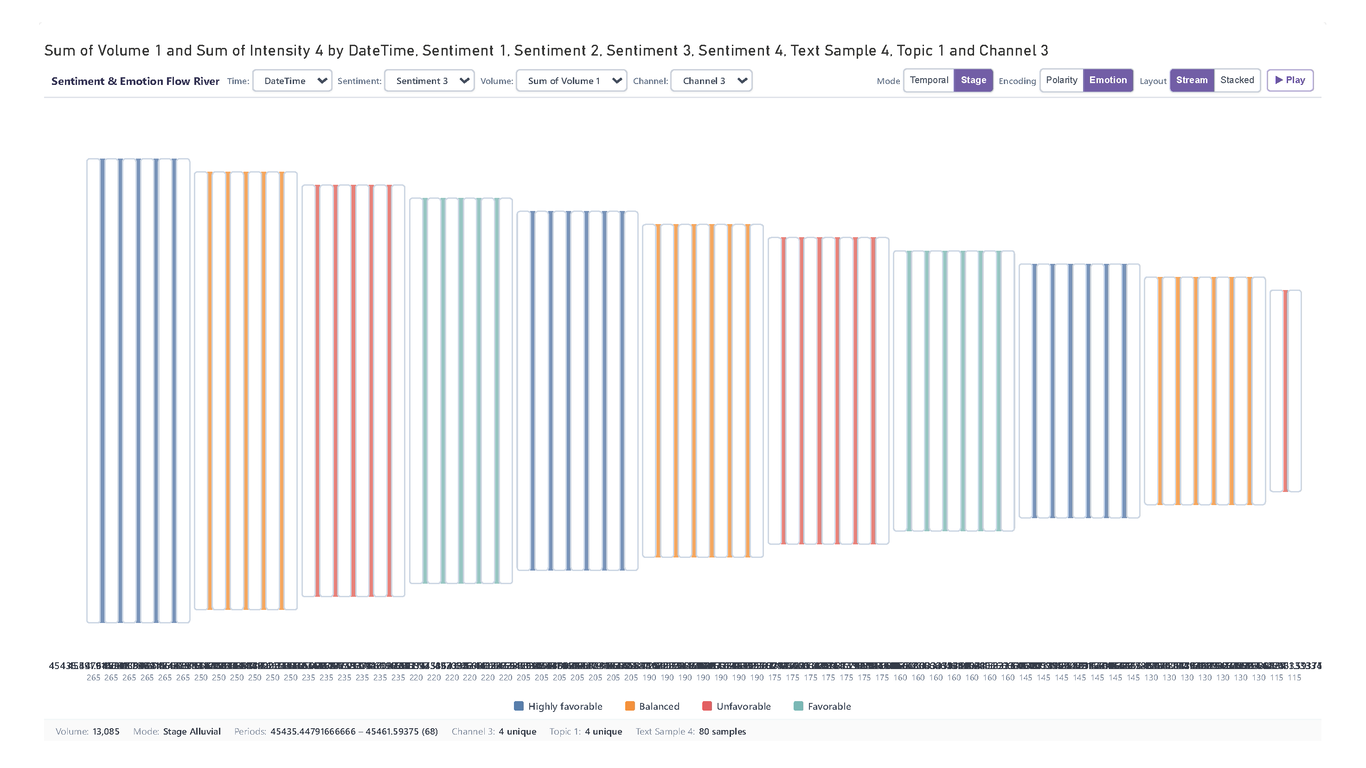
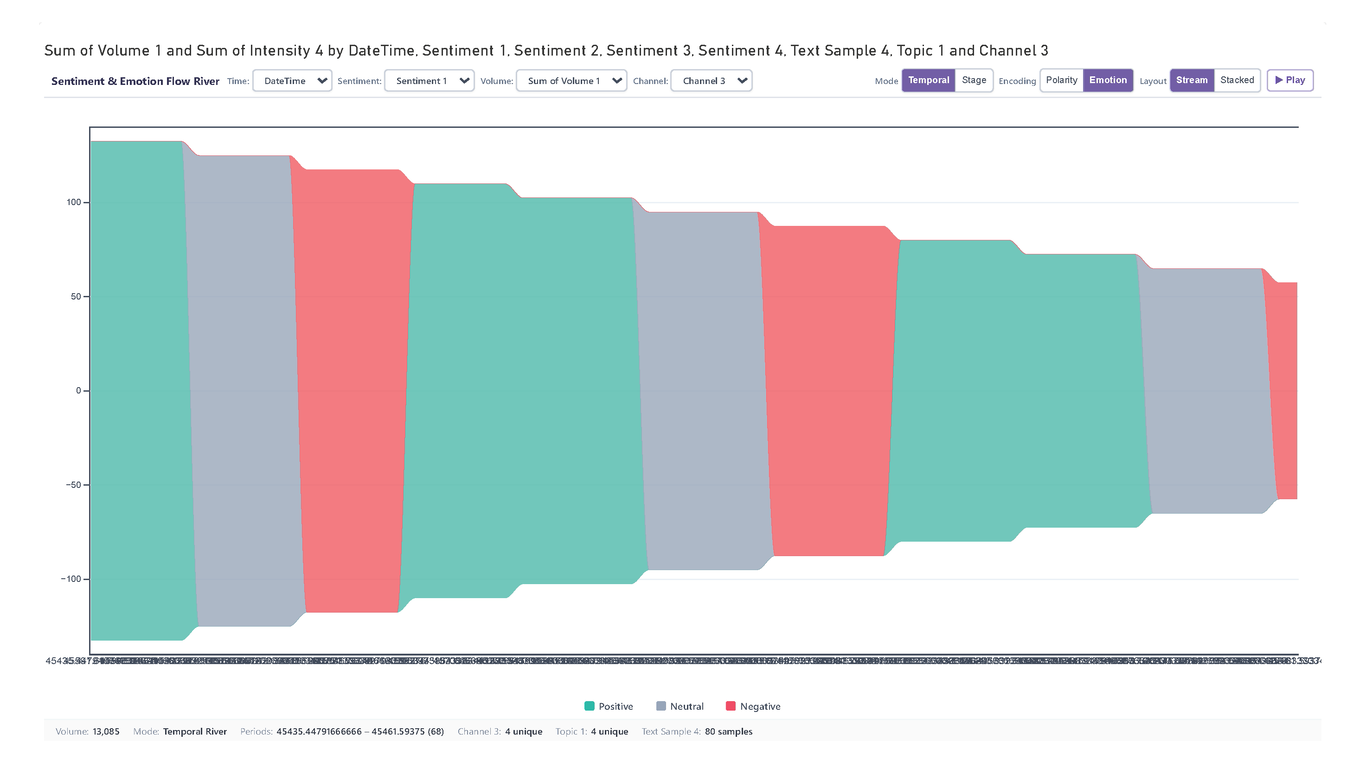
  • Alluvial Flow Rendering: Ribbons of varying widths trace the volume of records flowing from one sentiment or emotion category to the next across time stages or journey steps.
  • Emotion-Coded Color Streams: Each emotion (joy, anger, surprise, sadness, fear, disgust) is assigned a distinct, curated color stream, making transitions immediately recognizable at a glance.
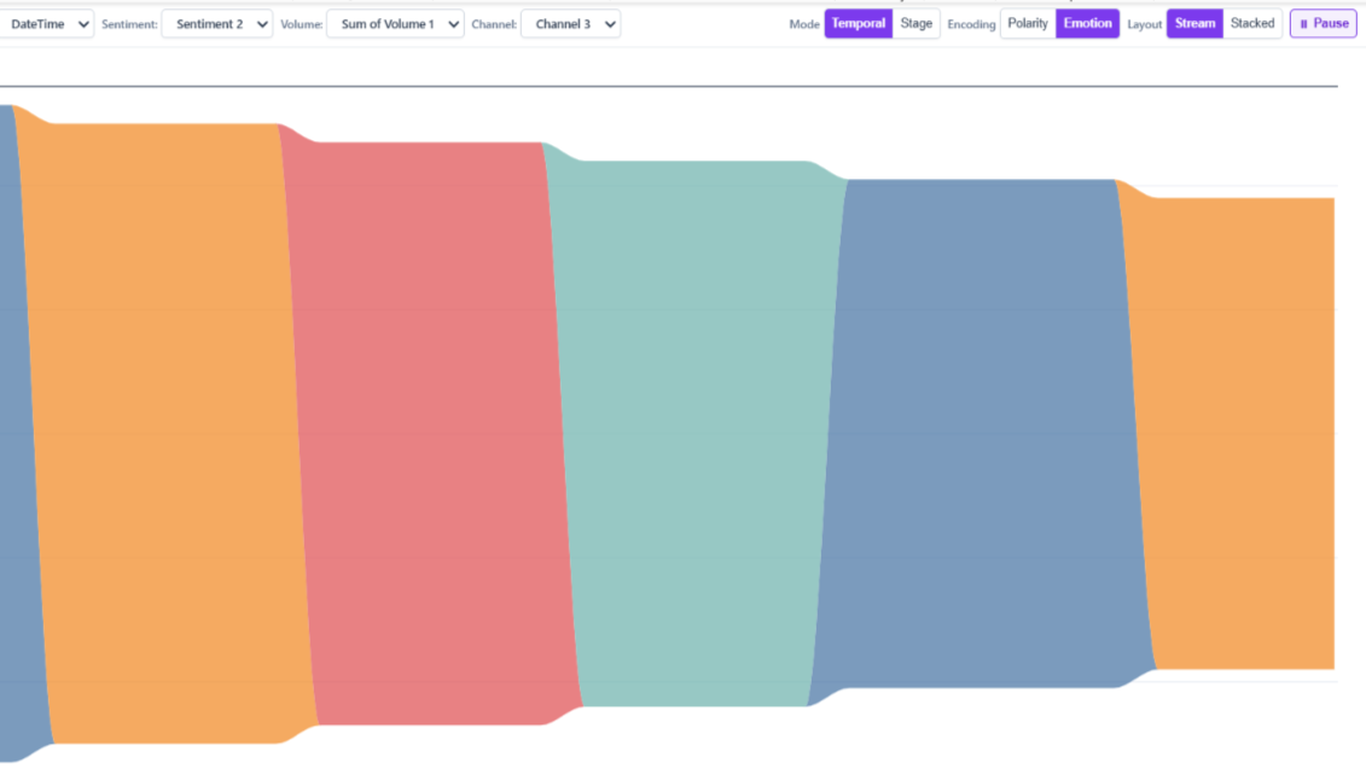
  • Dynamic Field Switching: Multiple fields can be placed in the data wells, allowing users to toggle between channels, products, topics, or time periods from toolbar dropdowns without rebuilding the report.
  • Intensity Score Overlay: An optional intensity or score measure layers a gradient or thickness modulation over each stream, revealing not just volume but emotional strength.
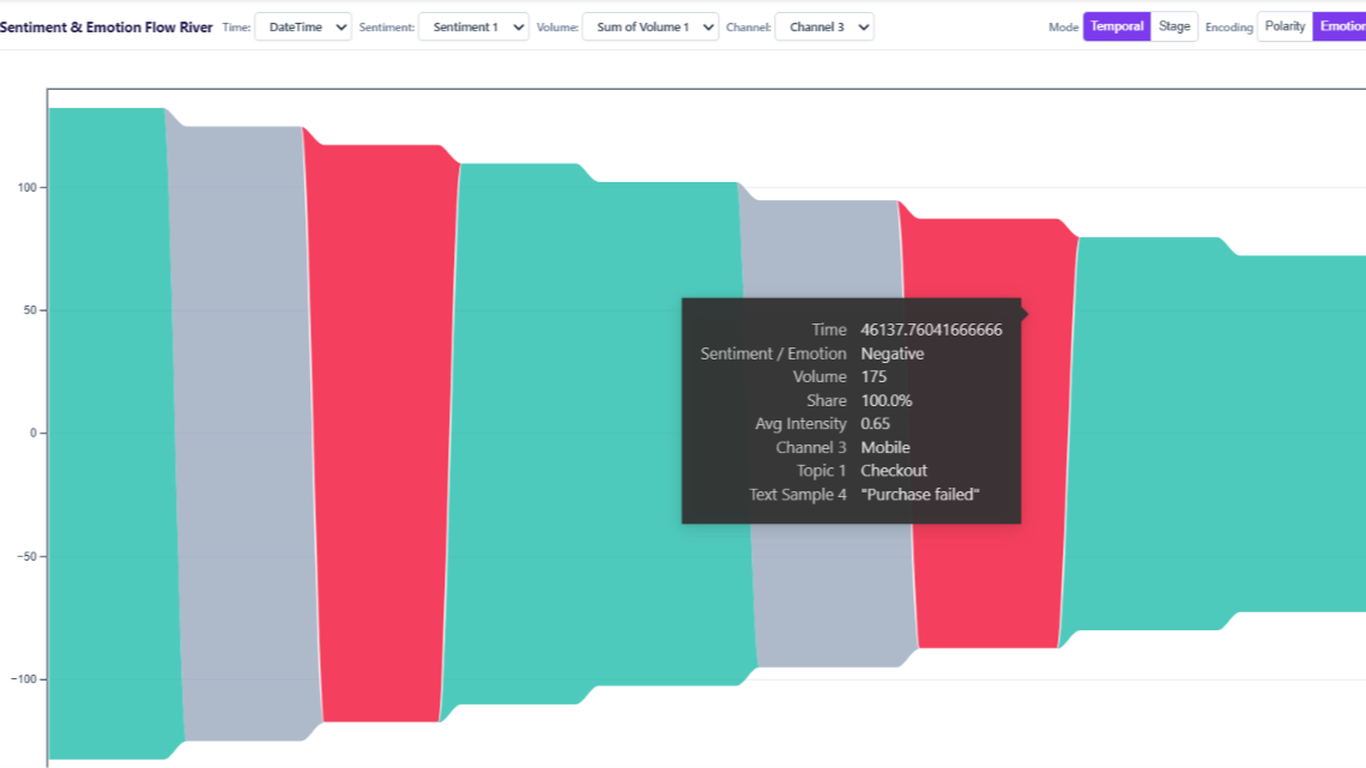
  • Text Sample Drawer: Click any stream or node to surface representative text samples directly within the visual, connecting qualitative evidence to quantitative flows seamlessly.

Together, these capabilities transform disconnected sentiment scores into a coherent, explorable story of how emotions move and evolve across the customer journey or any multi-stage process.

Conclusion

In conclusion, the Sentiment & Emotion Flow River delivers an unparalleled way to explore and communicate how emotions evolve across time, channels, and customer journeys in Power BI. By combining the clarity of alluvial flow diagrams with dynamic field switching, intensity overlays, and integrated text sample surfacing, it bridges the gap between raw NLP outputs and actionable business insight. Whether mapping customer experience, brand sentiment shifts, or product feedback trends, this visual empowers analysts to move beyond static sentiment summaries and into genuinely exploratory, story-driven emotional intelligence.

Key Features:

  1. Alluvial Flow Visualization:

    • Ribbons dynamically sized by volume flow between sentiment and emotion categories across time stages, revealing transition patterns at a glance.
  2. Emotion-Coded Color Streams:

    • Curated, distinct color palettes for each emotion category (joy, anger, sadness, fear, surprise, disgust) ensure instant visual differentiation across all streams.
  3. Intensity / Score Overlay:

    • Bind an intensity or NLP confidence score measure to modulate stream thickness or gradient, surfacing the emotional strength behind each flow segment.
  4. Dynamic Field Switching:

    • Place multiple fields in Channel / Product or Topic / Key Phrase wells and toggle between them via toolbar dropdowns without editing the report.
  5. Text Sample Drawer:

    • Click any stream segment or stage node to open an integrated drawer displaying representative text samples, connecting qualitative evidence directly to the quantitative flow.
  6. Cross-Filter Integration:

    • Full Power BI cross-filtering support — selecting a stream or node filters all other report visuals and vice versa for a seamless analytical experience.

Other products

Office Solution Capacity Monitoring tool enables organizations to track Centrally:-

Multi-Entity Timeline Network

Supply Chain Network Flow Chart

Supply Chain Network Flow Chart

Tree View With Bar

Custom Tree View and Bar Chart, offering flexibility in managing column width and height, along w

Power BI Premium Capacity

Power BI Premium Capacity Analytics Solution Reduce your Power BI prem

Lorenz Curve Chart

Lorenz Curve by Office Solution

T

Barley Trellis chart

The Barley Trellis chart, inspired by Becker et al.'s groundbreaki

HR_Analytics

Dynamic Price Elasticity Heat Map

Dynamic Price Elasticity Heat Map